June 1, 2026
Quick shop tip
A better product photo routine from your phone
A repeatable iPhone product photo routine for Etsy sellers who need better thumbnails, consistent framing, and less editing later.
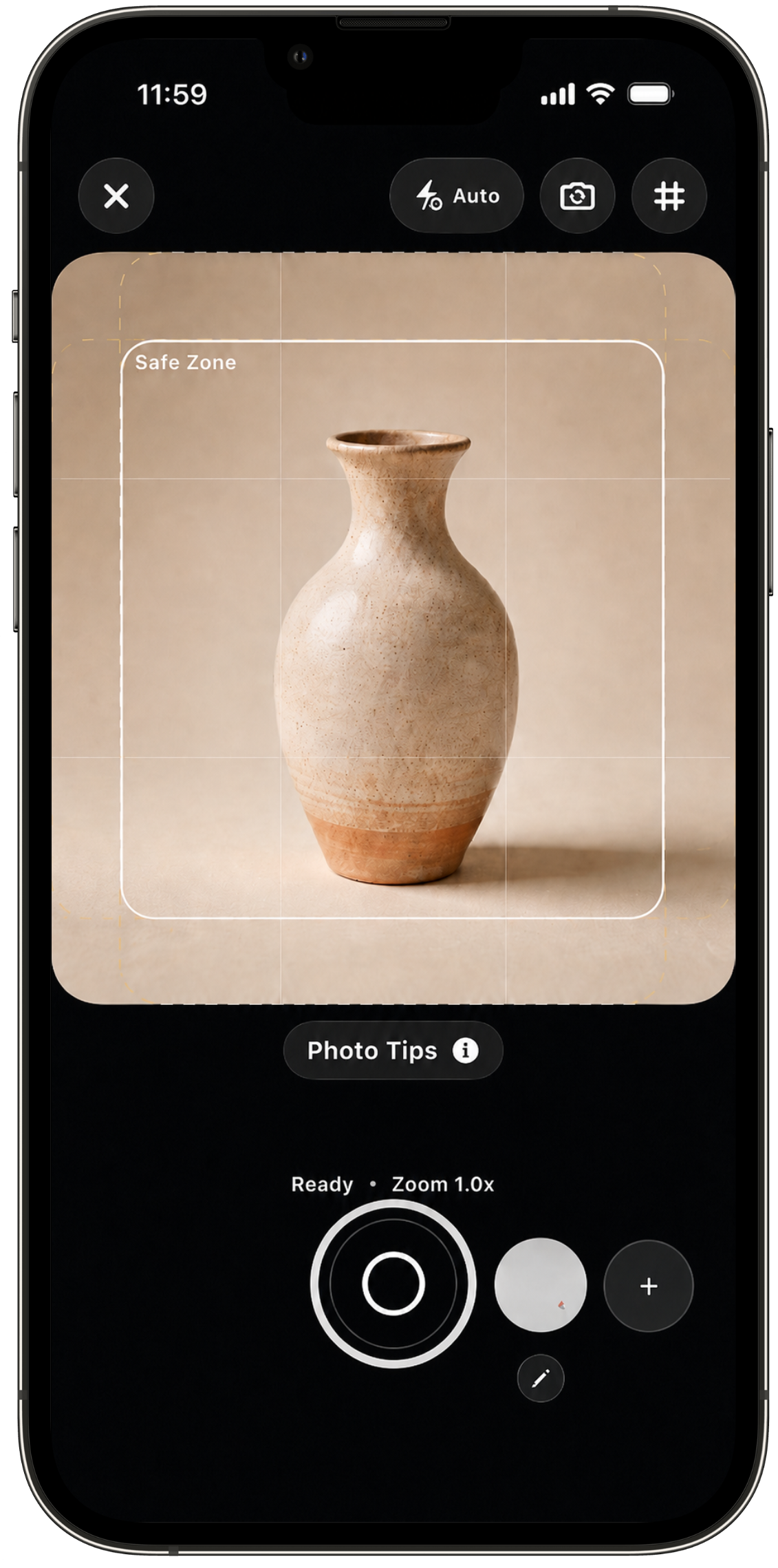
Product photos get easier when the routine is repeatable. The best routine is not always the fanciest editing stack. For a busy Etsy seller, it is often the simplest sequence: prepare the product, frame for the final crop, check light, capture a clean set, then attach the best photo to the listing while the setup is still fresh.
Start with the final thumbnail
Etsy shoppers often meet your product first as a small thumbnail. That means the photo has to work before anyone zooms in. Leave crop room around handles, edges, labels, and handmade details. If the product fills every inch of the frame, the thumbnail can feel squeezed or accidentally cut off.
CraftCenter's Smart Camera is built around this moment. Safe crop guides help you see the buffer before tapping the shutter, which is much easier than discovering the problem after the setup is gone.
Make the setup repeatable
Consistency helps a shop feel easier to browse. Use the same surface, lighting direction, camera height, and crop intent for products in the same collection. If you use a logo, text placement, or alignment guide, place it while composing the shot instead of guessing later in an editor.
Camera Overlays can help sellers line up repeated shots. Saved overlays are useful when a collection needs a similar crop, a logo belongs in the same corner, or a set of products should feel like they came from the same shop.
Capture the photos the listing actually needs
A strong listing usually needs a clear lead image, a scale or use-case image, close-up shots, variation images when relevant, and packaging or included-items photos. Capture those intentionally. A camera roll full of near-duplicates creates work later because every image has to be re-evaluated.
Edit while the product is still set up
Small lighting and contrast fixes are easier when you can still compare the photo to the real product. If the image needs a cleaner setting, AI Backgrounds can help explore options such as Studio or Beach without a full reshoot. The key is still review: the background should support the product, not make it feel misleading or disconnected from the item a buyer will receive.
Attach the photo to the listing while you still remember why you took it
The best time to finish a product photo task is while you still remember why the listing needed the image. A simple routine is enough: crop guide, overlay, clean capture, quick edit, listing review. CraftCenter keeps Smart Camera, Camera Overlays, AI Backgrounds, and Listing Editor close so product photos do not become another detached folder of unfinished work.